Client-server architecture
The notes
Client side
Clients are user-facing devices (laptops, phones, tablets) that initiate requests. They run the user interface and send requests to servers when users interact with the application.
Client responsibilities
- Request initiation: user actions trigger HTTP/HTTPS requests to the server
- UI rendering: display data received from the server in a user-friendly format
- Input handling: collect and validate user input before sending it to the server
Server side
Servers are powerful computers running continuously, waiting for client requests. They contain multiple components working together to process requests and manage application resources.
Server components
- Web server: handles HTTP requests (Apache, Nginx)
- App server: executes business logic and application code
- Database: stores and retrieves persistent data (SQL/NoSQL)
Request-response cycle
- 1. Client request: a user action triggers an HTTP request to the server
- 2. Server processing: the web server routes to the app server for logic execution
- 3. Data access: the app server queries the database if data is needed
- 4. Server response: the server sends data back (HTML, JSON, XML)
Key characteristics
- Centralized resources: all data and processing power are concentrated on servers, making management and security easier
- Client initiates requests: communication always starts from the client side; servers only respond to requests
- Server manages data: a single source of truth for data; clients display data but don't own it
- Scalable server side: easy to add more servers to handle increased load without changing clients
Advantages of client-server architecture
- Centralized control: data and security are managed in one place
- Easy maintenance: update the server without touching clients
- Resource sharing: multiple clients access the same resources
- Scalability: add more servers as demand grows
- Security: sensitive data stays on protected servers
- Cross-platform: different clients (web, mobile) use the same server
System design deck
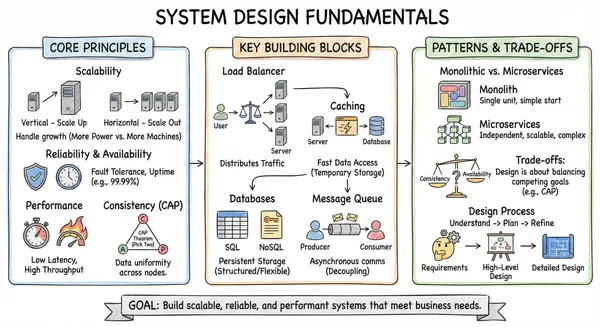 1. Fundamentals
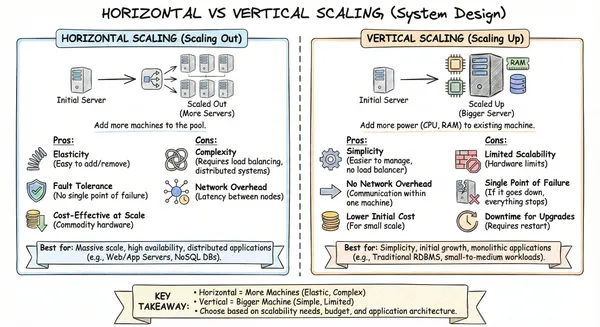 2. Scaling
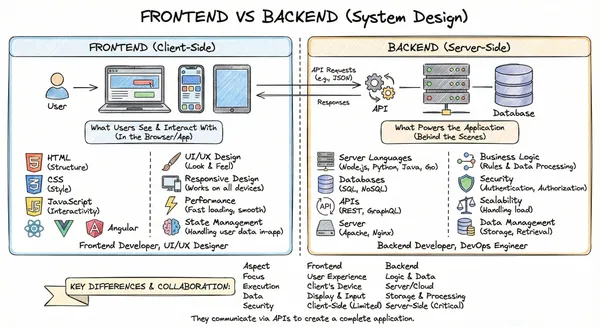 3. Frontend vs backend
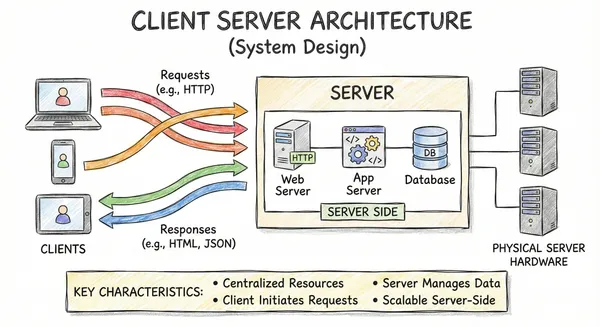 4. Client-server architecture
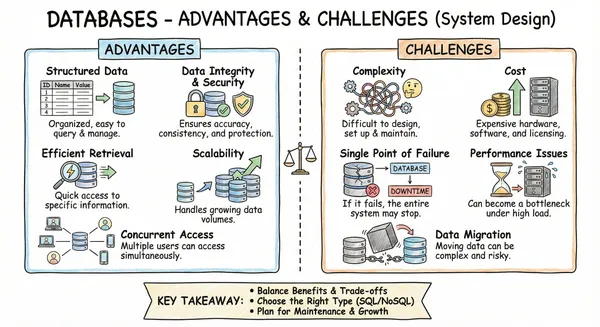 5. Databases
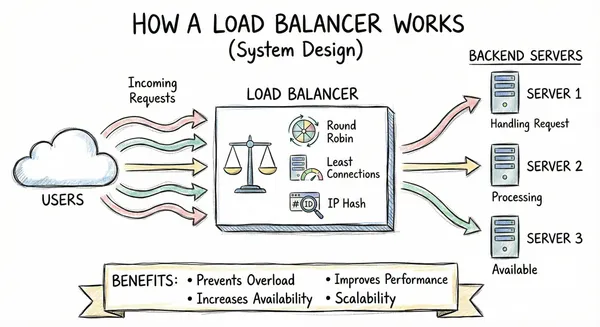 6. Load balancer
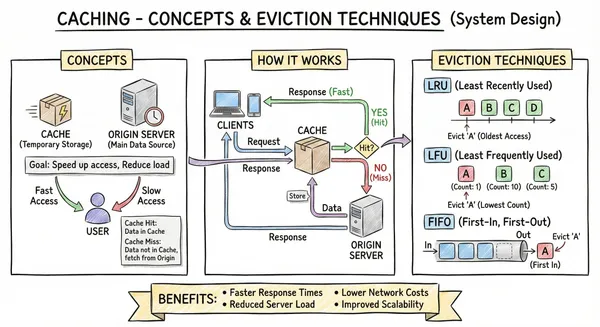 7. Caching
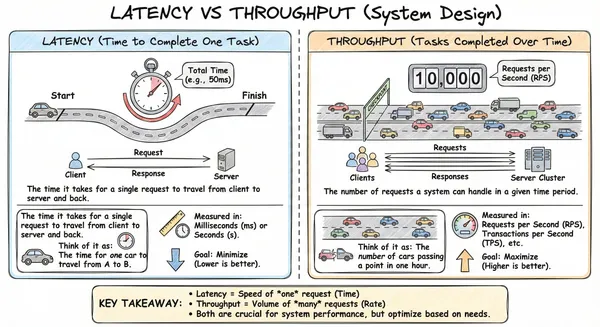 8. Latency vs throughput
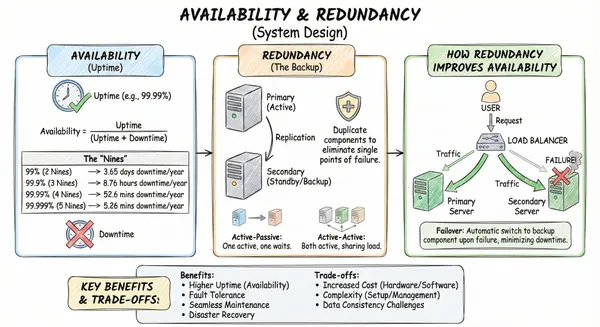 9. Availability and redundancy
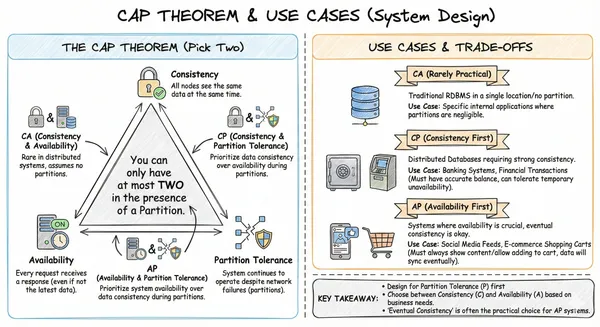 10. CAP theorem
and many more
Make them stick
Sign in to see every card full size, tick the ones you've got, come back to the rest later, and keep your own notes on each card.
Watch the lesson
 System design, Lesson 2, from 1:21: What is the client server model?